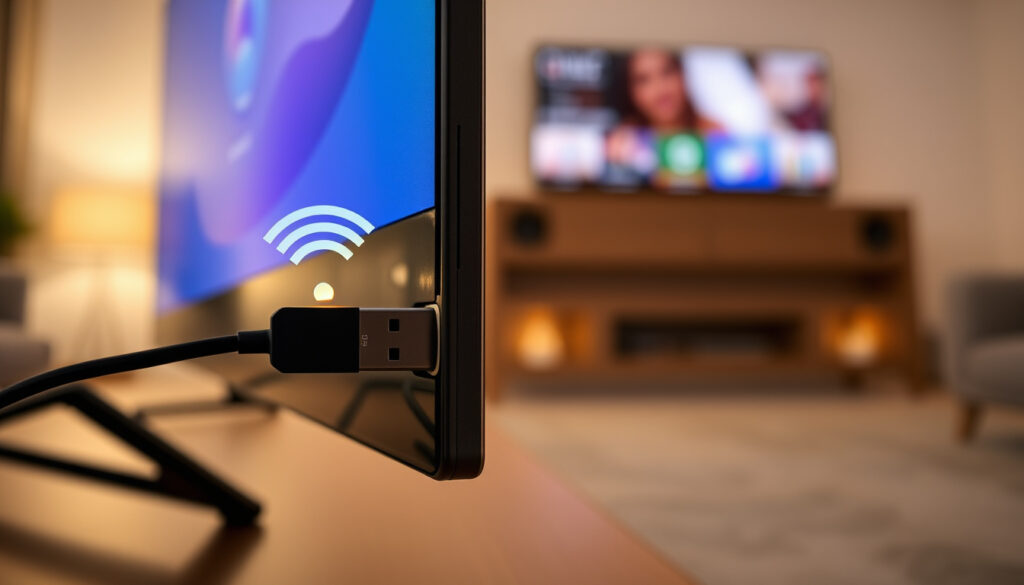
Wi-Fi Dongle for TV: What Works and How to Set It Up
Few home-tech upgrades feel more confusing than the word “dongle” — if you’ve just bought a USB Wi-Fi adapter only to find your TV won’t connect, you’re not alone, as Sony’s support pages cover the exact problem. This guide sorts out which dongles actually work with TVs, how to set them up, and when an HDMI streaming stick is the smarter buy.
TV port: USB-A ·
Wi-Fi standard: 802.11ac (Wi-Fi 5) ·
Streaming device port: HDMI ·
Smart TV connection: Built-in Wi-Fi or Ethernet
Quick snapshot
- A TV USB port does not automatically support Wi-Fi networking; it may provide power or media playback without a network path (Sony Support (TV maker guidance)).
- A USB Wi-Fi adapter cannot normally add streaming apps or a new TV operating system (TP-Link (networking vendor)).
- Which third-party USB dongles a particular TV will recognise depends on firmware, drivers, and manufacturer lists.
- Whether an “unlimited” mobile internet dongle plan carries data caps depends on the carrier.
- TVs split into two groups: built-in wireless LAN and wireless-LAN-ready sets that need a specific adapter (Sony UK Support (regional help centre)).
- Check the TV manual’s supported adapter list before buying any USB dongle.
- If dongle support is missing, move to an HDMI streaming stick that carries its own software and Wi-Fi.
Four specs to keep straight before you buy: the connector, the network role, the streaming port, and the TV’s own connection options.
| Spec | Typical value |
|---|---|
| Dongle connector | USB-A |
| Adds network access | Yes, only when TV firmware supports the adapter |
| Adds smart TV apps | No |
| Streaming stick connector | HDMI |
| Internet dongle type | 4G/5G mobile broadband |
| Smart TV connection | Built-in Wi-Fi or Ethernet |
Can I connect a Wi-Fi dongle to a TV?
Yes, but only when the TV’s firmware agrees. A USB port is not a universal key; it has to be wired for networking and the TV has to carry the right driver.
Can I plug a dongle into my TV?
- The TV must support an external wireless LAN adapter.
- The TV firmware must include compatible drivers.
- A powered USB port alone isn’t enough.
Sony’s support note is blunt: a TV USB port does not automatically support Wi-Fi networking; the television must support an external wireless LAN adapter and contain compatible drivers (Sony Support (TV maker guidance)). USB ports on TVs may also exist purely for power or media playback, with no network pathway at all.
Do all TVs have USB ports for dongles?
- Most TVs have USB-A ports, but they’re often for media playback or service.
- “Wireless-LAN-ready” sets expect a specific manufacturer adapter.
- Generic PC adapters usually won’t show up in network settings.
Sony states that its supported UWA-BR100 adapter is the only wireless LAN USB dongle guaranteed for specified Internet video devices; generic PC USB Wi-Fi adapters may require unavailable drivers (Sony Support (TV maker guidance)). Sony UK adds that PC USB wireless LAN adapters are not supported on its wireless-LAN-ready TVs (Sony UK Support (regional help centre)).
Why won’t my TV detect a Wi-Fi dongle?
- Missing drivers in the TV firmware.
- Wrong adapter class — a PC dongle instead of a TV-supported model.
- A USB port that’s power-only or service-only.
If the dongle never appears in the network menu, the TV doesn’t have a driver for it. No amount of restarts or resets will fix that, and the reliable fallback is an external streaming device with built-in Wi-Fi that doesn’t depend on the TV’s driver list.
The implication: treat a USB Wi-Fi dongle as a spare part for a specific TV, not a universal accessory. If the manual doesn’t name it, assume it won’t work.
What kind of dongle can I use to make my TV smart?
The word “dongle” covers three different tools. Picking the right one depends on what you’re missing: network access, apps, or broadband.
“Dongle” isn’t one product. It’s three different jobs, and matching the job to the port is the whole game.
What is the difference between a Wi-Fi dongle and a streaming stick?
- USB Wi-Fi dongle: adds network access, keeps the TV’s own interface.
- HDMI streaming stick: brings its own interface and apps.
- Compatibility: USB dongles are model-specific; streaming sticks mostly need an HDMI port.
A USB Wi-Fi adapter cannot normally add modern streaming apps or a new TV operating system; it only addresses network connectivity when the TV software supports it. An HDMI streaming stick, by contrast, carries its own operating system. TP-Link’s guidance says USB adapter compatibility is model-specific, whereas an HDMI streaming stick is generally independent of the TV brand once the TV has a compatible HDMI input (TP-Link (networking vendor)).
Can I use an internet dongle with a smart TV?
- Yes, if the dongle creates a Wi-Fi hotspot the TV can join.
- Some smart TVs accept mobile broadband through USB tethering.
- An internet dongle is a broadband source, not a TV operating system.
A 4G/5G internet dongle supplies broadband from a mobile network, and a smart TV can use that connection for apps. But it won’t change a non-smart TV into a smart one — the TV still needs its own software to run streaming services.
What is a 4G/5G internet dongle for TV?
- Uses mobile data instead of fixed broadband.
- Often sold with a data plan.
- Best when fixed broadband is missing or unreliable.
This is the dongle people mean when they say “internet dongle for TV.” It’s a small modem that shares a mobile connection over Wi-Fi or USB. It can rescue a smart TV in a home without broadband, but coverage and data caps decide whether it’s actually usable.
The pattern: if you want apps, buy a streaming stick. If you just need network access, a Wi-Fi or 4G/5G dongle might do — but only when the TV accepts it.
How to set up a Wi-Fi dongle?
Setup is short when the TV supports the adapter. The process is plug in, restart, connect — but only after the compatibility check.
How do I connect a Wi-Fi dongle to my TV?
- Confirm the dongle is on the TV manufacturer’s supported list.
- Plug the dongle into a powered USB port on the TV.
- Restart the TV so it rescans for the adapter.
- Check the TV manual or manufacturer site for the supported USB adapter list.
- Plug the dongle into a powered USB port.
- Restart the TV.
- Open the network menu and select your Wi-Fi network.
Sony UK’s guidance says a compatible USB adapter is configured through the TV’s network settings, where you select your home wireless network and enter its password (Sony UK Support (regional help centre)).
How do I find the dongle in my TV’s network settings?
- Look for “Network”, “Internet”, or “Wi-Fi” in the TV’s settings.
- The TV lists available networks once the adapter is detected.
- If no networks appear, the adapter isn’t recognised.
The network menu is the test. If the TV sees the dongle, you’ll see Wi-Fi networks. If not, you’re done with setup — it’s a compatibility problem, not a password problem.
What should I do if the dongle is not recognized?
- Check the TV manual for a supported adapter list.
- Try a different USB port if the TV has several.
- Confirm whether the TV is “wireless-LAN-ready” rather than built-in Wi-Fi.
When the firmware lacks the driver, the dongle never appears. Sony’s UWA-BR100 example shows the pattern: if a TV maker names one specific adapter, third-party sticks are a gamble. After that, the honest advice is to stop buying USB dongles and use an HDMI streaming stick with its own Wi-Fi.
What this means: the setup guide is really a compatibility guide. If the dongle isn’t recognised, the best setup step is to return it.
What is the best way to turn my regular TV into a smart TV?
If your TV isn’t smart, you don’t need a Wi-Fi dongle — you need a small computer plugged into the HDMI port.
For a non-smart TV, an HDMI streaming stick is the more predictable upgrade — it brings its own interface, so the TV’s age and driver list matter less.
What is the cheapest way to turn my non-smart TV into a smart TV?
- HDMI streaming sticks are the most common low-cost route.
- USB Wi-Fi dongles are cheap but don’t add apps.
- A dongle alone won’t replace the missing smart TV interface.
A Wi-Fi dongle alone cannot turn a non-smart TV into a smart TV, because it only adds network, not an operating system. Streaming sticks plug into HDMI and bring their own apps, which is why they’re the standard recommendation for older TVs.
Will a Firestick turn a TV into a smart TV?
- Yes — Firestick-class devices add their own app platform.
- They need HDMI, internet, and separate power.
- The TV acts as a monitor for the stick’s interface.
Yes. A Firestick connects through HDMI and runs apps on its own hardware. The TV doesn’t need smart software because it’s just displaying what the stick sends. This is the cleanest answer for a non-smart TV.
Can I convert my regular TV to a smart TV online?
- No website or online service adds smart features.
- A hardware device is required.
- Firmware updates can change settings, but they can’t install a new OS if the TV never had one.
There’s no online-only conversion. You can buy a device online, but the TV itself needs hardware. Anyone promising to “make your TV smart online” is selling something that doesn’t exist.
The trade-off: a streaming stick costs more than a USB dongle but replaces the missing smart TV software. For almost every old TV, that trade is worth it.
Do smart TVs work without internet?
A smart TV without internet is a normal TV with extra buttons. It still works — just not for the stuff that made it “smart”.
Can I use a smart TV without Wi-Fi?
- Yes — broadcast TV via antenna or cable works offline.
- Streaming apps require an internet connection.
- Some first-time setups ask for a network before menus unlock.
Smart TVs can still receive broadcast channels through an antenna or cable without internet. What changes is that streaming apps won’t load. If you’re waiting for broadband, the tuner keeps working.
What can a smart TV do offline?
- Watch over-the-air channels.
- Play files from USB or HDMI sources.
- Adjust picture, sound, and input settings.
Offline, the smart TV behaves like a regular TV. That’s useful during an internet outage, but it doesn’t unlock any of the smart features.
How do I connect a smart TV if it has no built-in Wi-Fi?
- Use Ethernet if the TV has an Ethernet port.
- For “wireless-LAN-ready” models, use the manufacturer’s supported USB adapter.
- For everything else, add an HDMI streaming stick with built-in Wi-Fi.
For a wireless-LAN-ready TV, Sony UK’s guidance says a compatible USB adapter is the intended route; for every other TV without Wi-Fi, a streaming stick is the simpler option. The catch: “smart TV” means nothing without a network. Decide first whether you’re fixing network access or adding the smart part — then pick the dongle accordingly.
Three dongle types, one pattern: each solves a different problem, and the wrong one leaves you with a drawer full of plastic.
| Type | What it does | When to use it |
|---|---|---|
| USB Wi-Fi adapter | Adds wireless network to a TV whose firmware supports it | Smart or wireless-LAN-ready TV that lacks network access and lists the adapter as supported |
| 4G/5G internet dongle | Supplies broadband from a mobile network, over Wi-Fi or USB | No fixed broadband; paired with a smart TV or streaming stick |
| HDMI streaming stick | Adds apps and its own interface over HDMI | Non-smart TV, or a TV with no supported USB Wi-Fi path |
Two specs decide which dongle works: the connector and the role it plays.
| Feature | USB Wi-Fi dongle | HDMI streaming stick |
|---|---|---|
| Connector | USB-A | HDMI |
| Adds smart TV apps | No | Yes |
| Adds network access | Yes, if supported | Yes, via the stick’s own Wi-Fi |
| Depends on TV brand | Strongly | Minimally |
| Needs separate power | Usually no | Usually yes |
| Best for | Supported smart TVs missing network | Non-smart TVs and unsupported models |
Upsides
- Cheap, small, and it can fix network access on a supported smart TV.
- Uses an existing USB port; no extra remote or interface to learn.
- Can improve a weak built-in Wi-Fi connection if the TV supports an external adapter.
Downsides
- Doesn’t add apps or a smart interface on its own.
- Compatibility is model-specific; most generic PC adapters won’t work.
- Setup fails if the TV’s firmware lacks drivers, and no workaround exists.
Confirmed facts
- USB Wi-Fi dongles add network access only when the TV firmware supports them (Sony Support (TV maker guidance)).
- Streaming sticks use HDMI and bring their own apps (TP-Link (networking vendor)).
Still unclear
- Whether a third-party dongle will work depends on the TV’s exact firmware and driver support.
- Whether an “unlimited” internet dongle plan is truly unlimited depends on carrier fair-use policies.
“A TV USB port does not automatically support Wi-Fi networking; the television must support an external wireless LAN adapter and contain compatible drivers.”
Sony Support (TV maker guidance)
“USB adapter compatibility is model-specific, whereas an HDMI streaming stick is generally independent of the TV brand once the TV has a compatible HDMI input.”
TP-Link (networking vendor)
For anyone staring at a non-smart TV, the choice is clear: if it has an HDMI port, buy a streaming stick rather than chasing a USB adapter the TV may never accept. For a smart TV that only lacks network access, check the manufacturer’s supported-adapter list first — and if the dongle isn’t on it, run an Ethernet cable or go the streaming-stick route. Get the hardware wrong, and you’ll spend your evening in support pages instead of watching anything.
de.aliexpress.com, de.aliexpress.com, pl.aliexpress.com, de.aliexpress.com, sony.co.uk
Frequently asked questions
What is a Wi-Fi dongle for a TV?
A Wi-Fi dongle for a TV is a small USB adapter that adds wireless networking. It only works when the TV firmware includes drivers for that adapter, and it does not add streaming apps or a smart interface.
Does a smart TV need a Wi-Fi dongle?
Not if it has built-in wireless LAN or an Ethernet port. A dongle is only needed for “wireless-LAN-ready” models that lack built-in Wi-Fi but support a specific USB adapter.
Can I use a mobile Wi-Fi dongle as the only internet source for streaming?
Yes, in principle. A 4G/5G dongle can supply broadband that a smart TV or streaming stick can use, but signal strength and carrier data limits decide whether it works well.
How fast does internet need to be for streaming on TV?
Fast enough to stream reliably without constant buffering. A steady connection matters more than raw speed; if the signal is weak, a cable or a better-positioned router helps more than a new dongle.
Is Ethernet better than a Wi-Fi dongle for a TV?
For a fixed TV, Ethernet is usually more stable than Wi-Fi, but it requires a cable between the TV and the router. A USB Wi-Fi dongle is only an option on TVs that support one.
Will an unlimited internet dongle work with a TV?
An internet dongle can feed a TV either through a Wi-Fi hotspot or a USB connection where supported. “Unlimited” plans often carry fair-use limits, so check the plan before you rely on it.
More related posts
 Selling Sunset Cast 2025: Richest, Exits, Friendships & Relationship Updates
 Cast Of The Twilight Saga
Cast Of Modern Family
Cast Of The Twilight Saga
Cast Of Modern Family
 Pam Beesly: Unveiling the Real Story Behind The Office’s Beloved Receptionist
 Cast Of Superstore (tv Series)
 Identity Thief: Movie vs. Reality – Meaning, Risks & Prevention
 Torchwood Cast: Complete Guide by Season and Character
 Cast Of Patience (tv Series)