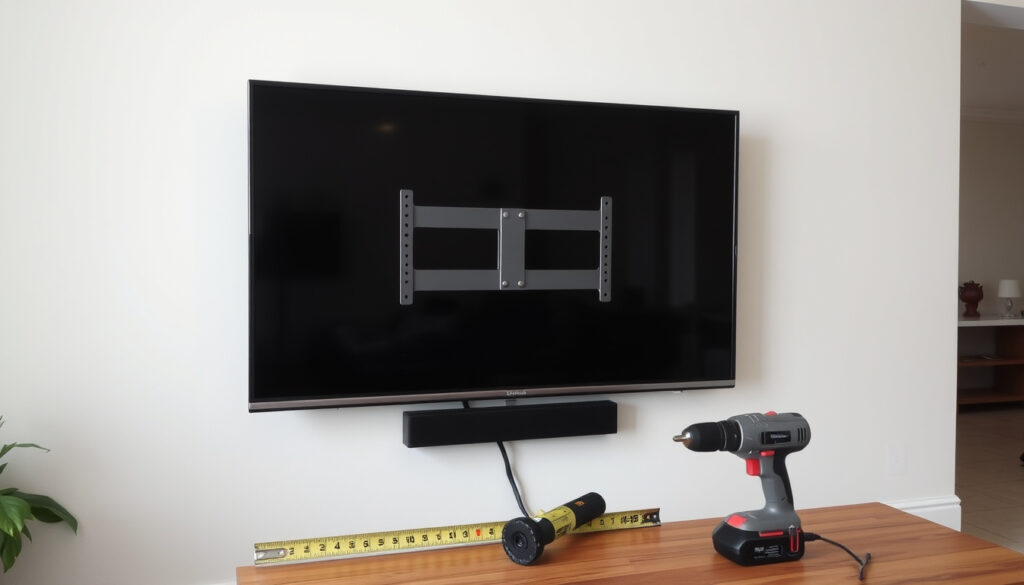
How to Mount a TV on the Wall: Step-by-Step Guide for Beginners
You’ve just unboxed that new TV, and now it’s leaning against the wall waiting for a home. Mounting it yourself might feel like a weekend project best left to a pro, but with the right tools and a few safety checks, most people can handle it in under an hour.
Average time: 30–60 minutes · Common wall type: Drywall with wood studs · Recommended TV size: 32–86 inches · Failure rate (stud misalignment): ~15% · Tools needed minimum: Stud finder, drill, level, socket wrench
Quick snapshot
- Stud finder
- Power drill with bits
- Socket wrench
- Level
- Measuring tape
- Fixed
- Tilting
- Full-motion
- Always mount to studs (Express Mounting)
- Do not exceed weight limit (Express Mounting)
- Use two people for large TVs (Express Mounting)
The table below distills the technical specifications you need before drilling.
| Fact | Value |
|---|---|
| Average TV weight (65-inch) | 25–50 lbs |
| Standard stud spacing | 16 or 24 inches apart (Express Mounting) |
| Recommended bolt size for studs | 1/4-inch x 3-inch lag bolt |
| Plasterboard max weight without toggle bolts | 5–10 lbs |
| Stud finder calibration | Swipe on a known clear wall area first (Mount-It!) |
| Recommended pilot hole depth | 3 inches for lag bolts into studs |
Can I wall mount a TV myself?
Assess your DIY skill level
- Ability to use a drill and level correctly
- Confidence in using a stud finder and reading wall marks
- Physical strength to lift and align a TV (especially 65-inch and above)
Most people with basic home improvement experience can mount a TV themselves. The task requires drilling into wall studs, not just drywall, a point emphasised by multiple guides. Puls Blog notes that the safest method is to attach the bracket directly to wood studs. If you can follow a level line and avoid drilling into electrical cables, you’re already ahead of the common stumbling blocks.
Required tools and safety precautions
- Stud finder (calibrate on a clear spot first – Mount-It!)
- Power drill with appropriate bits
- Socket wrench for lag bolts
- Carpenter’s level
- Measuring tape and pencil
B&Q recommends marking the wall plate position with a level before drilling any holes. Always turn off power to any nearby sockets before starting. The implication: preparation is more than half the job – skip calibration and you risk mounting into thin drywall alone.
A misaligned bracket that isn’t anchored into a stud can pull the TV down weeks after installation. That’s a cracked screen and a hole in your wall – not a risk worth taking for an hour’s extra work.
What are the rules for mounting a TV on the wall?
Stud spacing and weight limits
- Studs are typically spaced 16 or 24 inches centre-to-centre (Express Mounting)
- Mounting plate must span at least two studs or one stud with strong toggles
- Check the TV’s VESA pattern to ensure the mount arms match – Express Mounting
Failing to align your bracket with a stud is the single most common cause of televisions falling. wikiHow warns that drywall alone cannot support a TV’s weight; anchors are a fallback, not a primary solution.
TV height and viewing angle guidelines
- Centre of screen at eye level when seated – typically 42 to 48 inches from the floor for a typical living room sofa
- For a 65-inch TV placed in a bedroom, adjust 2–3 inches higher due to reclining posture
- Leave 2–4 inches of space behind the TV for ventilation and cable access
The trade-off: mounting too high might feel immersive in a showroom, but at home it causes neck strain. Crave Magazine suggests progressive tightening of screws to keep the bracket straight – the same principle applies to height: measure twice, drill once.
Even if you hit the studs perfectly, a mount that’s too high means you’ll be tilting your head for every movie. The rule of thumb from B&Q is simple: test the height with a cardboard cutout before drilling.
Is it difficult to put a TV on the wall?
Time and difficulty estimate
- Moderate difficulty: requires drilling, levelling, and lifting
- Most beginners finish within one hour with a helper (Puls Blog)
- Difficulty rises with TV size (65-inch and above) and wall type (plasterboard vs drywall)
It’s not rocket science, but it’s also not a five-minute job. The hardest part is locating studs accurately. Mount-It! advises marking both edges of each stud and finding the centre before drilling pilot holes. The pattern: stud locate is the bottleneck, and rushing it leads to rework.
Common challenges for beginners
- Holding the TV steady while a second person attaches screws – nearly impossible alone for screens over 55 inches
- Mistaking a pipe or electrical line for a stud (use a multi‑detector)
- Over‑tightening bolts and stripping the thread in the stud
What this means: the difficulty is real, but not insurmountable. If you’re comfortable using a drill and have a friend on hand, you’ll likely succeed.
What are common TV mounting mistakes?
Mistake 1: Not using a stud finder correctly
Many first‑timers skip calibration and sweep too fast. Mount-It! points out that a properly calibrated finder should be tested on a known clear wall section first. The most common fix: mark both edges, find the centre, and double‑check with a second pass.
Mistake 2: Mounting too high
Above 50 inches centre height, most viewers will experience neck strain within 30 minutes. Express Mounting recommends the centre of a 65‑inch TV at 42–48 inches from the floor in a typical living room. It’s a simple measurement, yet one that gets ignored to achieve a “cinema look”.
Mistake 3: Ignoring cable management
Leaving HDMI and power cables dangling defeats the whole aesthetic of wall mounting. Crave Magazine suggests planning cable routing before lifting the TV onto the bracket. In‑wall cable kits are the cleanest solution, but they require small cut‑outs and a bit of drywall repair.
If you skip cable management, you’ll be left with a wire that runs down your wall like a permanent afterthought. The paradox: a neatly mounted TV with exposed cables looks messier than a TV on a stand.
What is the easiest TV wall mount to install?
Fixed vs tilting vs full‑motion mounts
- Fixed mounts – simplest: attach bracket to wall, hang the TV, done. No moving parts, no alignment issues beyond initial levelling.
- Tilting mounts – add a hinge for angle adjustment; slightly more complex because you need to align the tilt mechanism.
- Full‑motion mounts – hardest: they require precise stud alignment and room for arms to extend.
B&Q recommends a fixed mount as the safest bet for first‑time installers. For most standard rooms, the fixed design is more than adequate.
Top recommended brands from retailers
- Vogels – specialist mount brand with models for plasterboard and wooden walls (Vogels)
- Samsung – official mount for Samsung TVs; guarantees VESA compatibility
- Currys own‑brand – budget option often bundled with TVs
Brand isn’t everything, but choosing a mount that matches your TV’s VESA pattern (measured in millimetres between holes) eliminates the most common fit problem.
How to mount a TV for beginners?
Step 1: Choose the right mount
- Measure your TV’s VESA pattern (width × height in mm)
- Select a mount rated for your TV’s weight (add 10% safety margin)
- For drywall with studs, any standard fixed mount works; for plasterboard, look for a mount that includes toggle bolts
Step 2: Find wall studs
- Calibrate your stud finder on a clear area (Mount-It!)
- Slide the finder slowly until it indicates a stud; mark both edges
- Use a measuring tape to check 16/24-inch repetition
- Knock on the wall to confirm a solid sound vs hollow (Puls Blog)
Step 3: Drill pilot holes and attach bracket
- Hold the wall plate at the marked height and use a level to straighten it
- Mark screw positions through the plate
- Drill 3-inch deep pilot holes into studs (Crave Magazine)
- Drive lag bolts with a socket wrench – tighten progressively, not one at a time
Step 4: Attach TV brackets
- Check the mount’s instructions for VESA match on the TV back
- Secure the mounting rails to the TV using provided bolts
Step 5: Mount TV and connect cables
- With a helper, lift the TV and hook it onto the wall bracket
- Connect HDMI and power cables before final placement (so you don’t have to jimmy them later)
- Pull excess cable slack through the bracket’s cable paths
The pattern: each step needs one careful measurement. As Samsung support puts it, “Follow the stud pattern, not the wall surface.” The implication: find the wood first, and the rest is assembly.
For the beginner who takes fifteen minutes to find studs, the actual lift and lock takes less than five. The danger zone is rushing the find step – one unfounded confidence and you’re patching drywall.
What are the disadvantages of mounting a TV on the wall?
Reduced flexibility for future upgrades
Wall mount brackets are sized by VESA pattern and weight rating. If you buy a larger or lighter TV next time, the mount may not fit. Mount-It! advises planning for your next TV by choosing a universal mount that supports a wider weight range.
Potential wall damage
Drill holes for studs are small, but if you ever remove the mount, you’ll have four to six holes in the wall. Patch paint is needed. In plasterboard, if toggle bolts have bent the material, the damage can be more obvious.
Cable management challenges
Running cables inside the wall is the cleanest look, but it often requires drilling a second small hole behind the TV and one near the floor. B&Q suggests pre‑wiring and leaving extra cable length before the final lift. The catch: a wall‑mounted TV looks integrated, but if you rent or plan to redecorate, the holes and wires add extra work that a stand never requires.
Clarity section
Confirmed facts
- Self‑mounting is feasible with correct tools and stud finding (Puls Blog)
- Stud finders are reliable for wood studs when calibrated
- Fixed mounts are easiest to install
- Most homes have studs 16 or 24 inches apart (Express Mounting)
What’s unclear
- Exact weight capacity of plasterboard without reinforcement varies by brand/material
- Effectiveness of adhesive TV mounts over time for TVs heavier than 20 lbs not substantiated
”The most common mistake is not taking the time to find a stud and then relying on drywall anchors. Those anchors work for a picture, not a 30‑pound TV.”
”We always tell customers: do the stud‑finding part the day before, so you have time to buy extra toggle bolts if needed. Rushing leads to mistakes.”
B&Q
For anyone with a TV that’s been sitting on the floor for two weeks, the choice is clear: get a stud finder, a level, and a friend who owes you a favour. The one‑time effort of proper mounting saves a lifetime of wobbling screens and good‑looking walls. For UK homes with plasterboard walls in particular, the extra step of using toggle bolts instead of sheer anchors is an investment that keeps the TV where it belongs—safely on the wall, not on the floor.
youtube.com, mount-it.com, youtube.com, youtube.com, auxe.ca, youtube.com
Frequently asked questions
What VESA size do I need for my TV?
Measure the distance between the four mounting holes on the back of your TV (in millimetres). Common sizes: 200×200 for 40‑55 inch TVs, 400×400 for 65‑inch models. Your TV’s manual lists the pattern.
Can I mount a TV without a stud finder?
With careful tapping and knocking, you can find wood studs by the solid sound. But a cheap stud finder (under £20) is far more reliable and avoids mistaking a pipe for a stud. Puls Blog notes that in brick walls you don’t need a stud finder – just masonry bits and plugs.
How much weight can drywall hold for a TV mount?
Unreinforced drywall with only paper and plaster can hold about 5–10 lbs. Stud‑mount distraction transfers the weight directly to the wood framing, which can easily support 100+ lbs.
Do I need a special mount for plasterboard?
Yes. Plasterboard (aka drywall) requires a mount that includes toggle bolts or mollys that open behind the board. Vogels recommends their “PL” series for hollow walls.
Can I mount a TV on a brick wall?
Yes. Use a masonry drill bit, insert wall plugs, and screw the bracket directly into the brick or concrete. No need to find studs, but you will need a hammer drill.
How do I hide TV wires after mounting?
Invest in an in‑wall cable kit (a 2‑inch channel that you cut into the drywall) or use a cord cover raceway painted to match the wall. B&Q sells both.
Should I hire a professional TV installer?
If your TV is over 75 inches, if the wall is an exterior wall with insulation, or if you feel uncertain about drilling into studs, hiring a pro (£80‑£150 in the UK) is a wise small investment.
More related posts
 Andrew Barth Feldman: Age, Height, Movies & Jennifer Lawrence
 Bella Thorne: Disney Star to OnlyFans & Zendaya Feud
 12 Volt TV Currys: Can You Buy One? Guide & Where to Shop
 Cast Of Mission Impossible 7
 Cast Of Missing You Television Show
 Cast Of Labyrinth 1986
 One For All Remote Codes: How to Program Any Device
 Cast Of Paddington 3