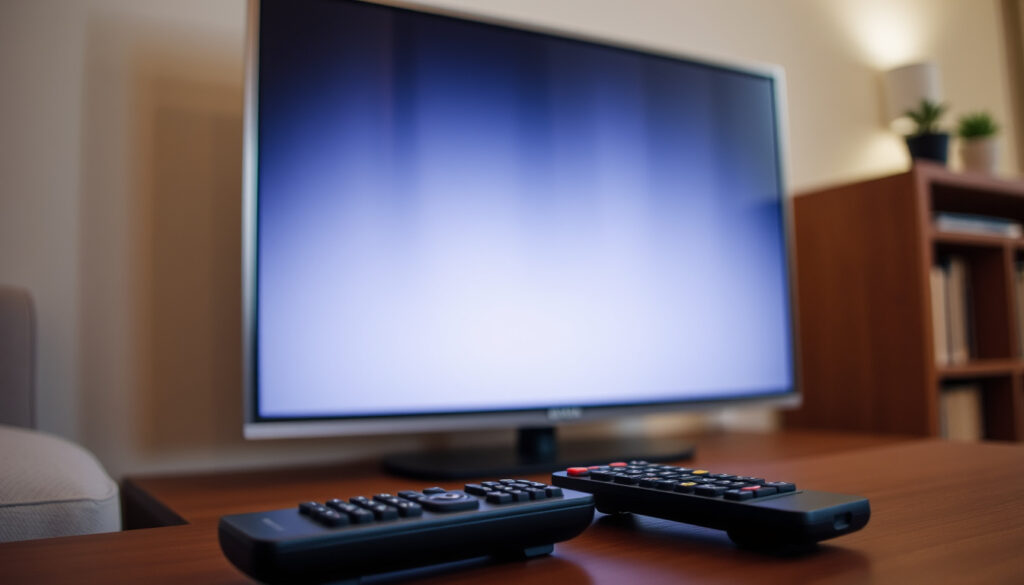
Sky TV Not Working? Here’s How to Fix It (2025 Guide)
Few things are more frustrating than settling in for a show only to find your Sky TV not working. Whether you’re facing a blank screen, a frozen picture, or a full-on outage, the fix often lies in a simple reset or a quick check of Sky’s service status.
Sky TV subscribers: 12 million (approx) ·
Most common fix: Power cycle (unplug 30 seconds) ·
Average issue resolution: 5–10 minutes ·
Official support channels: Sky Service Status page, Downdetector
Quick snapshot
- Power cycling the box resolves many temporary glitches (Sky Help article on box problems)
- Sky’s Service Checker shows known outages and planned maintenance (Sky Help (YouTube))
- Sky Glass reset takes about 15 minutes (Tech Advisor (UK tech publication))
- Root cause of intermittent signal dropouts before official confirmation
- Exact impact of local area outages before Sky updates its status page
- How often third-party apps (Netflix, Disney+) trigger HDMI handshake issues
- Standard power cycle resolves issues in 5–10 minutes (Tech Advisor)
- Sky Glass recovery process takes about 15 minutes (Tech Advisor)
- Major outages usually acknowledged by Sky within 30 minutes on service status page (Tech Advisor)
- Check Sky Service Status first
- Try a power cycle or factory reset (Sky Help (YouTube))
- Contact Sky support if the issue persists (Sky Service Status)
Four key reference points sum up the data you need most:
| Fact | Value |
|---|---|
| Official service status page | Sky Service Status page |
| Sky Glass reboot method | Hold power button for 10 seconds (Tech Advisor) |
| Sky Q reset button location | Front panel, small pinhole (Sky Help) |
| Downdetector Sky Ireland | Downdetector Ireland |
Is there a problem with Sky TV today?
How to check Sky TV service status
- Sky Service Status page is the first place to check. It shows known outages, planned maintenance, and resolved issues.
- Downdetector Ireland collects user-reported problems and displays a live graph with comments. Spikes often precede official acknowledgment.
- Sky’s My Sky app also includes a Service Checker feature (Sky Help (YouTube)).
What to do if you suspect an outage
- Check if neighbours or social media (Sky forums, Reddit, Twitter) mention the same problem (Tech Advisor).
- If only your equipment is affected, proceed to device-level troubleshooting.
- If an area-wide outage is confirmed, wait for Sky to update its status page — most issues are resolved within a few hours.
Official and community tools work together: check Sky’s status page first, then cross-reference with Downdetector. If both show problems, it’s an outage — skip the reset and wait.
The implication: you can distinguish between a local glitch and a widespread outage within minutes by using both sources.
Is Sky down in Ireland?
How to check Sky TV in Ireland
- Downdetector Ireland provides country-specific reports.
- Sky’s Service Status page covers both UK and Ireland.
- Irish Sky Community threads often surface issues faster than official channels (Tech Advisor suggests checking forums).
Sky Ireland support contacts
- Phone: 0818 719 810 (Republic of Ireland).
- Live chat available via Sky.com/help.
- Sky also offers a call-back service through the My Sky app.
Irish customers share the same infrastructure as the UK but sometimes experience regional delays. Downdetector.ie gives them a voice before official line updates.
The pattern: regional differences mean Irish users should rely on localised trackers for the earliest warnings.
How do you reset your Sky TV?
How to force restart Sky TV (Sky Q)
- Unplug the Sky Q box from the mains.
- Wait at least 30 seconds (a full minute is better).
- Plug it back in and wait for all lights to settle. This clears temporary cache errors.
- If the box is unresponsive, use the reset button — a small pinhole on the front right panel. Insert a paperclip and hold for 10 seconds (Sky Help article on box problems).
How to reboot Sky Glass
- Turn off the TV at the mains.
- Hold the Standby button on the right-hand side of the TV for at least 60 seconds. Keep holding while switching the power back on (Tech Advisor).
- The recovery process takes about 15 minutes. After that you may need to sign in to your Sky account and re-enter passwords for streaming apps like Netflix (Tech Advisor). Picture and audio settings may also need to be adjusted.
How to power cycle Sky Q
- Power cycling is the same as a force restart: unplug for 30+ seconds. It’s the most common fix recommended by Sky (Sky Help article on box problems).
- For Sky Q mini boxes, some users report that changing standby preferences to “None” in settings can reduce sleep-mode disconnects (user video (community tip)).
A factory reset (using the pinhole button) wipes all recordings and settings — use it only after power cycling fails. Sky Glass resets preserve playlists but demand re-logins.
The catch: the pinhole reset is a last resort because it erases everything.
Why is our Sky TV not working?
Common causes: signal, cables, internet
- HDMI handshake failure: Check the cable connection and ensure the TV is set to the correct input source. A loose cable mimics a “no signal” error.
- Broadband outage: Sky TV requires an internet connection for some channels and on-demand content. If your Wi-Fi is down, try using an Ethernet cable or check your router.
- Account issues: If your subscription payment failed or the account is suspended, Sky blocks access. Log in to your Sky account to check (Sky Help article on box problems).
Error codes and their meanings
- Error 001: No satellite signal. Check dish alignment or weather interference.
- Error 006: Smart card fault — remove and reinsert the viewing card.
- Error 014: Subscription issue — ensure your package is active.
- Sky’s help articles list codes with specific steps (Sky Help article on box problems).
Signal issues often point to the dish or HDMI, not the box. Broadband problems affect streaming features but leave live TV intact. Billing errors block everything — check your account first if nothing else works.
What this means: identifying which category your problem falls into halves the troubleshooting time.
Where is the Sky reset button?
Sky Q box reset button
- Location: Small pinhole on the front right panel of the main Sky Q box.
- How to use: Unfold a paperclip, insert gently, and hold for 10 seconds (Sky Help article on box problems). The box will restart and may take several minutes to reload.
- Warning: This performs a factory reset, erasing all recordings and personalised settings. Use only after a power cycle fails.
Sky Glass reset procedure
- Soft reset: Unplug at the mains, hold the power button on the right side for 10 seconds while reconnecting power (Tech Advisor).
- Full factory reset: Go to Settings > System > Reset. This wipes everything, including downloaded apps and saved Wi-Fi networks.
- After a reset, you’ll need to sign in to your Sky account and re-authorise streaming apps (Tech Advisor).
The pattern: the soft reset is quick and safe; the factory reset is a nuclear option.
What we know vs what we don’t
Confirmed facts
- Power cycling resolves most temporary glitches (Sky Help article on box problems)
- Sky Service Status page shows planned maintenance and known outages (Sky Service Status page)
- Sky Glass recovery takes about 15 minutes (Tech Advisor (tested method))
What’s unclear
- Root cause of intermittent signal dropouts before official confirmation
- Exact impact of local area outages before Sky updates its status page
- How often third-party streaming apps cause HDMI handshake failures
For Sky users in the UK and Ireland, the choice is straightforward: start with the official service status page, then power cycle your device. If that fails, a factory reset or support call will get you back — but the 15-minute Sky Glass reset means you’ll likely be watching faster than you think.
Frequently asked questions
How to fix Sky Q box not working?
Try a power cycle: unplug the box from the mains for 30 seconds, then plug it back in. If that doesn’t work, locate the reset button on the front panel and hold for 10 seconds with a paperclip (Sky Help article on box problems).
Sky Glass black screen: what to do?
Perform a soft reset: turn off the TV at the mains, hold the Standby button on the right side for 60 seconds while switching power back on. The recovery takes about 15 minutes (Tech Advisor).
Why is my Sky TV screen frozen?
A frozen screen is often caused by a temporary software glitch. Power cycling the box (unplug for 30 seconds) usually clears it. Also check the HDMI cable connection (Sky Help article on box problems).
How to check if Sky TV is down in my area?
Visit Sky Service Status page for official updates. For crowd-sourced reports, check Downdetector Ireland or Sky Community forums (Tech Advisor suggests forums).
What to do if Sky remote stops working?
Replace the batteries first. If that doesn’t help, re-pair the remote by pressing the TV and Standby buttons together for 3 seconds while pointing at the box. Sky Q remotes can also be paired via the on-screen settings menu (Sky Help article on box problems).
Sky TV error code 001: what does it mean?
Error 001 indicates no satellite signal. Check weather conditions, dish alignment, or cable connections. If others in your area have the same issue, it may be a regional outage (Sky Help article on box problems).
More related posts
 Selling Sunset Cast 2025: Richest, Exits, Friendships & Relationship Updates
 Johnny Galecki Height: How Tall Is the Big Bang Theory Star
 Cast Of Havoc (2025 Film)
 Cast Of The Teacher (2022 Tv Series)
 Cast Of The Brutalist
 Monster (American TV Series): Seasons, True Story & Ed Gein
 Cast Of Friday Night Dinner
 My Life with the Walter Boys Season 3: Release Date & Cast