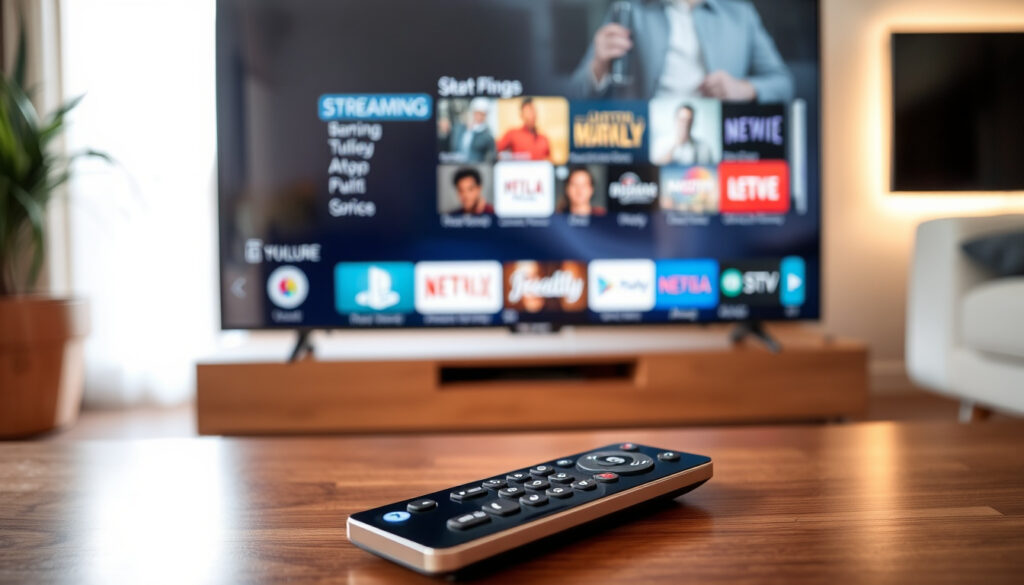
What Is a Smart TV? Guide to Features, Pros & Cons
There’s a good chance the television in your living room does a lot more than just show channels. If you bought a TV in the last few years, it’s almost certainly a smart TV—one that connects to the internet, runs apps, and even learns what you like to watch. But the shift from a simple screen to a connected entertainment hub brings along questions about internet requirements, content options, and whether you still need cable.
Global smart TV shipments in 2023: 215 million units (Omdia) · Percentage of US households with a smart TV (2023): 71% (Pew Research Center) · Average number of streaming apps installed on U.S. smart TVs: 6 (Nielsen) · Year the first commercial smart TV was introduced: 2008 · Global smart TV market value in 2024: approximately $280 billion
Quick snapshot
- Smart TVs connect to the internet via Wi‑Fi or Ethernet (TCL Global, a major TV manufacturer).
- They run operating systems such as webOS, Tizen, Android TV, or Roku TV (PCMag, a leading tech review site).
- Streaming apps (Netflix, YouTube, Hulu) are accessible without an external box (Samsung US, the world’s largest TV maker).
- Exact length of software update support varies by brand and model.
- Long‑term privacy implications of built‑in microphones/cameras in some models.
- 2008: Samsung introduces the first internet‑connected TV with streaming apps.
- 2010: Google launches Google TV (predecessor to Android TV).
- 2013: Roku partners with TV manufacturers for built‑in smart platform.
- 2020: Smart TV adoption exceeds 70% in US households.
- 2023: Global smart TV shipments reach 215 million units.
- AI‑powered content recommendations and voice assistants become standard.
- Integration with smart‑home ecosystems (lights, security, appliances) is expanding.
- Ad‑supported free streaming channels (FAST) are growing faster than premium subscriptions.
| First Smart TV Released | 2008 by Samsung (Bordeaux series) |
| Top Smart TV Brand (2023) | Samsung (market share 19.5%, Omdia) |
| Average Smart TV Price (2024) | $450 (low‑end $150, high‑end $3000+) |
| Typical OS Lifespan Support | 3‑5 years from manufacturer |
| Percentage of TVs Sold That Are Smart (2023) | 90% (rough estimate from multiple analyst reports) |
What Is a Smart TV?
A smart TV is simply a television that combines a standard TV tuner with an internet connection and an operating system, allowing you to stream video, browse the web, and install apps directly on the set. As TCL Global (a leading TV manufacturer) puts it, a smart TV integrates “internet connectivity and advanced computing features” so you can access online content without external devices.
How does a smart TV work?
- It connects to your home network via Wi‑Fi or Ethernet (Samsung US).
- It runs an operating system—webOS (LG), Tizen (Samsung), Android TV (Google), or Roku TV—that manages apps and settings (PCMag).
- You launch streaming services like Netflix, YouTube, and Hulu directly from the home screen, no extra box required.
Definition of an internet‑connected television
The consensus among manufacturers is that a smart TV is “TV + internet + apps,” functioning similarly to a smartphone with its own app store (Samsung US).
A smart TV no longer just displays broadcast signals—it’s a full media portal. For anyone who already subscribes to a streaming service, the built‑in software eliminates the need for a separate Roku, Apple TV, or Fire Stick. The catch: that convenience comes with a hidden cost in data tracking and occasional software bloat.
What Is the Difference Between a Normal TV and a Smart TV?
Five characteristics, one pattern: smart TVs include internet connectivity and a built‑in operating system, while normal TVs (often called “dumb” TVs) lack those features and require external devices to stream.
| Feature | Normal TV (non‑smart) | Smart TV |
|---|---|---|
| Internet connectivity | None (no Wi‑Fi or Ethernet) | Built‑in Wi‑Fi and Ethernet port |
| App support | No apps; requires streaming stick/box | Pre‑loaded and downloadable apps |
| Streaming services | Not possible without external device | Netflix, YouTube, Hulu, Disney+ etc. |
| Software updates | Not applicable | Over‑the‑air updates for OS and apps |
| Voice control | Usually none | Often includes voice assistant (Bixby, Alexa, Google Assistant) |
| Price (2024, 50‑inch) | $200–$350 (few models remain) | $300–$600 (majority of new sets) |
The implication: if you already own a streaming device, a normal TV can be cheaper. But as Hisense USA (a global TV manufacturer) notes, non‑smart TVs are becoming rare—over 90% of sets sold in 2023 are smart. The trade‑off: a smart TV gives you all‑in‑one convenience, while a dumb TV plus a dedicated streamer may offer a snappier interface and longer software support.
What Channels Do You Get With a Smart TV?
Free channels and built‑in tuners
- Every smart TV includes a digital tuner (ATSC 1.0 or 3.0) that picks up over‑the‑air broadcast channels for free—ABC, NBC, CBS, Fox, PBS, and local affiliates (FCC (U.S. regulator)).
- Free ad‑supported streaming apps like Pluto TV, Tubi, and Samsung TV Plus offer dozens of live and on‑demand channels without a subscription.
- Premium apps (Netflix, Disney+, Hulu) require a monthly fee but deliver libraries of movies and series.
Streaming apps versus traditional cable channels
You do not automatically get cable channels (e.g., ESPN, CNN, HBO) just because the TV is smart. Cable‑style live TV requires either a cable/satellite subscription or a live‑TV streaming service such as YouTube TV, Hulu + Live TV, or Sling TV.
Despite the promise of “hundreds of free channels,” many free apps carry limited local programming. A household that wants both local news and live sports will likely still need either an aerial or a live‑TV streaming subscription. The smart TV acts as the central interface, not a magic unlock for all paid content.
Does a Smart TV Work Without the Internet?
Offline functionality for watching local broadcasts
- Yes: you can use a smart TV exactly like a regular TV by connecting an aerial or cable input and using the built‑in tuner. Samsung US confirms that “you can still use a smart TV as a standard TV” offline.
- Bluetooth peripherals (headphones, game controllers) may still pair and function without internet.
Limitations of a disconnected smart TV
- No streaming apps, web browser, or software updates.
- Voice assistants that require cloud processing (most do) will not work.
- Manufacturer’s smart platform may become slow or unstable without periodic updates.
Why this matters: for cord‑cutters who rely solely on over‑the‑air broadcasts, a smart TV can be a fine choice even without internet—as long as you don’t care about the smart features. But the main selling point of a modern smart TV—personalized recommendations and app access—is locked behind a Wi‑Fi connection.
What Are the Downsides of a Smart TV?
Privacy and data collection concerns
- Smart TVs collect viewing data, including what you watch and for how long, to serve targeted ads (Hisense USA).
- Some models include microphones and cameras that raise long‑term privacy questions.
Slower performance over time (bloatware)
- Pre‑loaded apps and system menus may become sluggish as the TV ages and apps demand more processing power.
- Manufacturers typically provide operating system updates for only 3–5 years, after which new apps may not be compatible.
Pros & Cons of Smart TVs
Upsides
- All‑in‑one: no extra streaming device needed for most services.
- Personalized content recommendations based on viewing habits.
- Voice control and smart‑home integration built in.
- Becoming the standard; you may not even find a non‑smart model above 40 inches.
Downsides
- Data tracking and ad targeting are standard.
- Interface can feel slower than dedicated streaming boxes.
- Limited upgrade cycle: TV hardware lasts 7–10 years, but the “smart” part outdates in 3–5 years.
- Security risk: connected devices can be hacked if not updated.
The trade‑off: a smart TV offers unparalleled convenience out of the box, but your viewing data becomes a product. As Hisense USA warns, “any device connected to the internet can potentially be hacked.” For users who prioritize privacy, disabling the network connection or using an external streaming stick may be safer.
Do You Still Need Cable If You Have a Smart TV?
No, you do not automatically need cable. A smart TV lets you watch free over‑the‑air channels (with an aerial) and subscribe to streaming services for shows and movies. However, cable still offers live sports, news, and certain regional channels that may be hard to get otherwise.
The pattern: the smart TV replaces the role of a cable box but not the subscription to a multichannel package. Of the more than 215 million smart TVs shipped worldwide in 2023 (Omdia, a market research firm), a significant portion are used purely with streaming—though many households keep a cable subscription for live events.
Using an aerial as an alternative
Plug a $20 indoor antenna into the TV’s coaxial port, run a channel scan, and you’ll likely receive 20–70 local channels in HD, including major networks. For example, a viewer in New York City can receive ABC, CBS, NBC, Fox, PBS, and several sub‑channels (MeTV, Bounce) completely free.
Is It Better to Buy a Firestick or a Smart TV?
Performance and interface differences
- A dedicated streaming device like the Amazon Fire Stick typically has a faster, more modern processor and a cleaner interface than the built‑in smart platform of a budget TV.
- Fire Stick devices often receive software updates for 5–7 years, while a TV’s built‑in OS may stop updating after 3–5 years (Amazon Fire TV support pages).
Cost and upgrade options
- A Fire Stick costs $25–$60 and turns any dumb TV into a smart one. If your TV already works well, it’s far cheaper than buying a new set.
- Smart TVs integrate everything into one device, saving a power outlet and reducing clutter. But if the smart platform becomes obsolete, you must either use a streaming stick or replace the entire TV.
The verdict: for first‑time buyers who want simplicity and don’t plan to upgrade for a decade, a smart TV is fine. For anyone who already owns a good display and wants consistent performance, buying a Fire Stick or similar device offers better value and longer relevance.
“A smart TV is a television that connects to the internet and allows you to stream content directly – it’s the central hub of your home entertainment.”
— Samsung UK (official product description)
“Smart TVs let you watch what you want, when you want, without needing a separate box – they have the intelligence built in.”
— LG UK (official site, explanation of smart TV features)
Related coverage: guide to smart TV features f?rdjupar bilden av What Is a Smart TV? Definition, Differences & Features.
Frequently asked questions
Can a smart TV be used without Wi‑Fi?
Yes, you can still watch over‑the‑air broadcasts via an aerial and use HDMI inputs for game consoles or Blu‑ray players. Streaming apps and software updates require internet.
Do smart TVs come with free channels?
Yes, most have a built‑in tuner for free local channels and include free ad‑supported streaming apps like Pluto TV, Tubi, and Samsung TV Plus.
How long do smart TVs last?
The display panel typically lasts 7–10 years. The “smart” features may become slow or unsupported after 3–5 years due to app and OS updates.
What is the best operating system for a smart TV?
It depends on your ecosystem. Roku TV is simple; Android TV/Google TV offers the widest app selection; webOS (LG) and Tizen (Samsung) are polished and reliable.
Can I add apps to an older smart TV?
If the TV’s operating system is still supported by the manufacturer, you can usually install apps from its store. Older TVs may lose app compatibility after the OS is discontinued.
Do smart TVs have a built‑in camera?
Some high‑end models include a pop‑up camera for video calls (Samsung SmartThings Camera, LG ThinQ). Most do not; check the specifications before buying if privacy is a concern.
Is a smart TV worth it if you already have a streaming device?
It can be, because the smart platform still lets you access other services without switching inputs. But if your current TV is fine, a $30 streaming stick is a cheaper upgrade.
Related reading
More related posts
 Cast Of My Oxford Year
 Next Bronx TV Unit: Sizes, Colors & Customer Reviews
 Cast Of Juror No. 2
 Cast Of Celebrity Bear Hunt
 Palm Royale: Cancellation, Worth Watching & Endings Explained
 Rainbow TV Show: Why It Ended and What Happened Next
 Cast Of The Creator