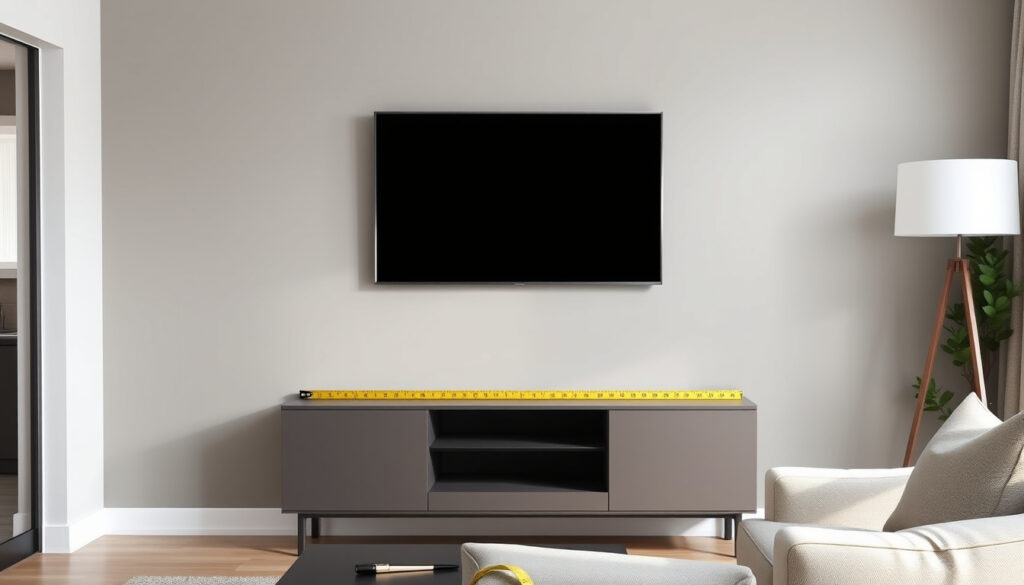
50 Inch TV Bracket Guide: Mounting, Height, and Wall Types
So you’ve finally decided to mount that 50‑inch TV on the wall. Then reality hits: your wall might be plasterboard, or there’s no convenient stud where the bracket needs to go. You’re not alone, and you’re not stuck. With the right bracket and a few smart techniques, you can get that TV up safely — covering weight limits, VESA patterns, and installation methods that work on real walls.
Average weight of a 50‑inch TV: 25–35 lbs (11–16 kg) ·
Common VESA patterns for 50‑inch TVs: 200×200 mm, 300×300 mm, 400×400 mm ·
Recommended TV height from floor (center): 42–56 inches (107–142 cm) ·
Maximum weight capacity of typical 50‑inch bracket: 50 kg (110 lbs) ·
Standard stud spacing in drywall: 16 or 24 inches (40.6 or 61 cm) on center
Quick snapshot
- Stud mounting provides the strongest support for any TV size (ECHOGEAR, wall‑mount manufacturer).
- Plasterboard alone cannot hold a 50‑inch TV without anchors (Gosforth Handyman, UK handyman guide).
- Toggle bolts rated over 100 lbs are suitable for drywall (not plasterboard) (Mount‑It, wall‑mount brand).
- Exact weight limit of plasterboard varies by thickness and condition; testing is recommended (Gosforth Handyman).
- Long‑term reliability of adhesive no‑stud mounts for 50‑inch TVs is not well documented (YouTube: How to Hang a TV Without a Stud).
- Commercial no‑stud mounts (e.g., ECHOGEAR, HangSmart) now offer weight ratings up to 150 lbs (HangSmartTV, mount manufacturer).
- Installation time varies by method: stud‑based is fastest, no‑stud anchor methods add 15–30 minutes (Mount‑It).
- For plasterboard, mounting without studs is possible but requires verified heavy‑duty anchors (Gosforth Handyman).
- Future product innovations may improve adhesive and toggle‑anchor reliability, but stud mounting remains the safest standard (ECHOGEAR).
Here are the essential specifications for a 50-inch TV installation.
| Specification | Value |
|---|---|
| Typical TV Weight | 25–35 lbs (11–16 kg) |
| Common VESA Patterns | 200×200, 300×300, 400×400 mm |
| Minimum Wall Thickness for Anchors | 1/2 inch (12.7 mm) drywall; 3/8 inch (9.5 mm) plasterboard |
| Standard Stud Spacing | 16 or 24 inches (40.6 or 61 cm) on center |
| Recommended Bracket Weight Rating | At least 50 kg (110 lbs) for safety margin |
Can a 50 Inch TV Be Mounted?
General feasibility of wall mounting 50‑inch TVs
Yes, 50‑inch TVs are standard and can be mounted on most walls with the correct bracket. The key requirement is that the wall must support the combined weight of the TV and bracket — typically 30–60 kg (66–132 lbs). As noted by ECHOGEAR (no‑stud mount manufacturer), even dedicated drywall mounts are engineered with dozens of nails to distribute load safely.
Weight and VESA considerations for mount selection
Before buying a bracket, check your TV’s VESA pattern — the four mounting holes on the back. For 50‑inch sets, common patterns are 200×200 mm, 300×300 mm, and 400×400 mm. The mount must match that pattern and have a weight rating exceeding your TV’s weight. Mount‑It (wall‑mount brand) recommends a safety margin of at least 20 lbs above the TV’s actual weight.
A 50‑inch TV weighs 25–35 lbs — manageable for most brackets. But the wall behind it must be ready to hold that weight plus the bracket, especially when you tilt or extend the arm.
The implication: wall condition determines whether mounting is safe, not the TV size.
Can a Plasterboard Wall Hold a 50 Inch TV?
Plasterboard vs. drywall differences
Plasterboard (often used in UK and European construction) is thinner and more brittle than standard US drywall. A Gosforth Handyman (UK handyman guide) explains that plasterboard fixings can support roughly 15 kg (33 lbs) each when installed correctly — but that’s the limit for a single anchor point.
Load capacity of plasterboard without studs
Plasterboard alone cannot support a 50‑inch TV. You must either use hollow‑wall anchors (toggle bolts) rated for more than 50 lbs or, ideally, locate the wooden or metal studs behind the plasterboard. The Mount‑It guide warns that toggle bolts are safe only for drywall, not plasterboard, because the board can crumble under pressure.
Solutions: toggle anchors, plasterboard anchors, or cutting to studs
If you must mount on plasterboard without studs, use heavy‑duty toggle bolts rated for at least 100 lbs. A YouTube installation guide recommends flip toggles and warns against overtightening screws to avoid stripping the plasterboard. The strongest solution, however, is cutting a hole in the plasterboard to expose the stud and mounting directly into it.
A failure here means a TV crashing down — potentially damaging your floor, furniture, or worse. Always overshoot the anchor rating by at least 20 lbs.
The catch: plasterboard’s variability demands rigorous testing before hanging.
Can You Mount a 50 Inch TV Without Studs?
Studless mounting options: toggle bolts, snap toggles, adhesive brackets
Yes, mounting without studs is possible, but it reduces weight capacity. The main options are toggle bolts, snap toggles, and adhesive brackets. ECHOGEAR’s no‑stud mount uses 32 drywall nails and claims a safe working load of 100 lbs (135 lbs maximum). HangSmartTV states its no‑stud mount can hold 150 lbs and support TVs up to 100 inches.
Weight limits and safety of no‑stud methods
Snap toggles can hold more than 200 lbs in drywall when installed into solid material. According to Mount‑It, you should always follow the anchor manufacturer’s weight rating and perform a push test before hanging the TV.
Step‑by‑step for mounting without studs
- Locate the desired TV position and level the bracket using a spirit level.
- Mark drill holes through the bracket’s mounting slots.
- Drill pilot holes — for toggle bolts, drill a 11 mm hole (as shown in a YouTube plasterboard installation guide).
- Insert the anchor or toggle bolt, then tighten in a cross pattern to distribute load evenly.
- Perform a push test: lean on the bracket with your full weight. If it moves, reinforce.
- Attach the TV adapter bars to the TV, lift, and lock onto the bracket.
No‑stud mounting shifts the load from structural studs to the wall surface itself. For plasterboard, this is inherently riskier. Gosforth Handyman strongly recommends a plinth (backing board) when studs are unavailable.
The pattern: without studs, the wall material becomes the weakest link.
How High Should a 50 Inch TV Be Mounted on a Wall?
Optimal TV height based on viewing distance and seating eye level
The center of the TV should be at eye level when seated — typically 42–56 inches (107–142 cm) from the floor. For a 50‑inch TV, the bottom edge may sit 24–36 inches from the floor depending on your seating height. Mount‑It advises that tilt brackets allow a slightly higher placement without causing neck strain.
Common mistakes: too high or too low; impact on neck strain and viewing angle
If the TV is mounted too high, the picture becomes distorted when viewed from a normal seated position. Too low, and you’ll be craning your neck downward. The trade‑off is clear: a fixed bracket forces you to get the height exactly right, while a tilt mount gives you a few inches of forgiveness. According to the Gosforth Handyman guide, a fixed bracket is best for solid walls where height can be precisely set.
What this means: precise height prevents long-term discomfort and distortion.
What Size TV Mount Do I Need for a 50 Inch TV?
Bracket size based on VESA pattern and weight capacity
Mount size is determined by the VESA pattern, not the screen diagonal. A universal bracket with adjustable arms fits most 50‑inch TVs because the VESA patterns fall within a common range. ECHOGEAR confirms that its no‑stud mount is “low‑profile” and compatible with VESA patterns up to 400×400 mm.
Compatibility with 55‑inch TVs (extended use)
A 50‑inch wall mount may hold a 55‑inch TV if the VESA pattern and weight are within limits. However, HangSmartTV notes that a full‑motion bracket for a 50‑inch set may not have enough arm length to safely position a heavier 55‑inch TV — always check the bracket’s maximum weight limit.
Types: fixed, tilt, full‑motion
- Fixed: Lowest profile, best for solid walls where height is known exactly.
- Tilt: Allows angle adjustment up to 15°, good for high placement or reducing glare.
- Full‑motion: Extends, swivels, and tilts; requires stronger wall support because the lever arm adds stress.
Mount‑It recommends fixed or tilt brackets for plasterboard walls to minimize dynamic load. Full‑motion mounts should only be used with stud‑based installs.
The implication: motion transfers extra leverage to the wall, demanding stud-level anchorage.
Mount Types Compared
Three main bracket styles, each with trade‑offs in profile, flexibility, and wall‑load demands. Here’s how they stack up.
| Mount Type | Typical VESA Range | Weight Rating (min) | Wall Support Needed | Best For |
|---|---|---|---|---|
| Fixed | 100×100 – 400×400 mm | 50 kg (110 lbs) | Stud or heavy‑duty anchors | Solid walls, known height |
| Tilt | 100×100 – 400×400 mm | 45 kg (100 lbs) | Stud or heavy‑duty anchors | High placement, glare reduction |
| Full‑motion | 100×100 – 400×400 mm | 60 kg (132 lbs) | Studs only (no plasterboard) | Corner rooms, swivel needs |
The pattern is clear: once you add motion, you transfer more leverage to the wall. Plasterboard walls should stick to fixed or tilt brackets mounted into studs or high‑capacity toggle anchors.
Pros and Cons of Different Mounting Methods
Upsides
- Stud mounting is the strongest, simplest method (ECHOGEAR).
- Heavy‑duty toggle bolts can handle 100+ lbs in drywall (Mount‑It).
- No‑stud mounts (e.g., ECHOGEAR, HangSmart) are commercially available and easy to install (HangSmartTV).
Downsides
- Plasterboard alone cannot hold a 50‑inch TV; anchors required (Gosforth Handyman).
- Adhesive mounts have limited long‑term documented reliability (YouTube).
- Full‑motion brackets on plasterboard increase risk of wall damage (Mount‑It).
The trade-off: stronger methods require more permanent alteration to the wall.
Step‑by‑Step: How to Mount a 50‑Inch TV on Plasterboard Without Studs
- Gather tools: Stud finder (to confirm no studs), drill, 11 mm bit for toggle bolts, spirit level, pencil, and a heavy‑duty toggle‑anchor kit rated ≥100 lbs.
- Mark the bracket position: Hold the bracket at your desired height (center of TV at seated eye level). Level it and mark all mounting holes.
- Drill pilot holes: Drill at each mark. For snap toggles, drill through the plasterboard only; for toggle bolts, drill a hole large enough for the folded toggle to pass through (YouTube guide recommends 11 mm).
- Insert anchors: Push the toggle bolt through the hole; once through, the wings snap open. Tighten the screw until the bracket is flush. Do not overtighten – a separate YouTube installation warns that overtightening can strip the plasterboard.
- Cross‑tighten and test: Tighten all bolts in a cross pattern. Then push the bracket firmly – if it moves or creaks, add more anchors or switch to a stud‑based method.
- Attach TV adapter bars to the TV using the screws provided with your bracket. Match the VESA pattern on the back of the TV.
- Lift and lock: With a helper, lift the TV and hook the adapter bars onto the bracket. Engage the safety lock if available.
This method works only if your plasterboard is in good condition (no cracks, no water damage). Gosforth Handyman notes that plasterboard fixings can comfortably support about 15 kg each – so you’ll need at least four fixings for a 30 kg TV.
The catch: every fixings’ capacity adds up, but the board’s integrity remains the bottleneck.
What We Know and What’s Still Unclear
Confirmed facts
- Stud mounting provides the strongest support for any TV size (ECHOGEAR).
- Plasterboard alone cannot hold a 50‑inch TV without anchors (Gosforth Handyman).
- Toggle bolts rated over 100 lbs are suitable for drywall (not plasterboard) (Mount‑It).
- Optimal viewing height is seated eye level (Mount‑It).
What’s unclear
- Exact weight limit of plasterboard varies by thickness and condition; testing is recommended (Gosforth Handyman).
- Long‑term reliability of adhesive no‑stud mounts for 50‑inch TVs is not well documented (YouTube).
The market is flooding with no‑stud mounts that claim high weight ratings. But the wall material itself is the weakest link – and no mount can fix a crumbling plasterboard.
The implication: when the wall is suspect, proven mechanical anchoring is still the safest path.
Expert Perspectives on Safe TV Mounting
“Our no‑stud mount is engineered with 32 drywall nails and rated for up to 100 lbs safely, with a maximum load of 135 lbs.”
ECHOGEAR (no‑stud mount manufacturer)
“Our mount holds up to 150 lbs and supports TVs up to 100 inches, but we always recommend checking your wall type first.”
HangSmartTV (mount manufacturer)
For a comprehensive look at weight limits and viewing distance, check out this wall-mounted TV unit guide before finalizing your bracket choice.
Frequently Asked Questions
What is the VESA pattern for a 50 inch TV?
Do I need a stud finder to mount a 50 inch TV?
Can I use a universal TV mount for a 50 inch TV?
What tools are needed to mount a 50 inch TV?
How to hide cables after mounting a 50 inch TV?
Is it safe to mount a 50 inch TV on a single stud?
What is the difference between fixed and tilt mounts for 50 inch TVs?
Can I install a 50 inch TV bracket on brick or concrete?
More related posts